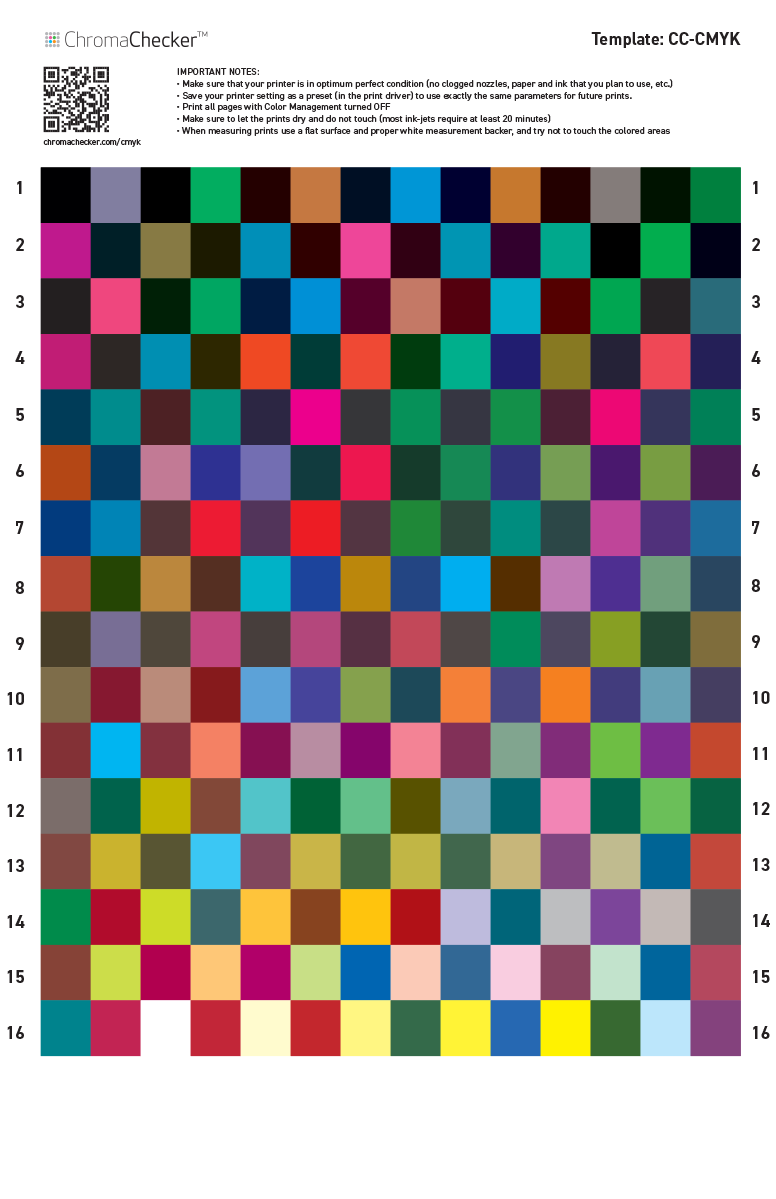
CC-224 CMYK
This is a test target is designed for CMYK ICC Profile creation when working with handheld instruments that do not support scan mode. The layout is adopted for instruments that require large patch sizes. In this case, it is 18 x 20 mm and makes it readable not only for typical 0/45 instruments but also spherical instruments such as the DS700 and Spectro1 Pro by Variable.
IMPORTANT NOTES:
- Make sure that your printer is in optimum perfect condition (no clogged nozzles, paper, the ink that you plan to use, etc.)
- Save your printer setting as a preset (in the print driver) to use exactly the same parameters for future prints.
- Print all pages with Color Management turned OFF
- Make sure to let the prints dry and do not touch them (some inkjets require at least 20 minutes)
- When measuring prints use a flat surface and proper white measurement backer, and try not to touch the colored areas
- Be sure that your instrument is fully charged (only for battery-operated instruments like Spectro 1)
- If you are measuring in a single spot mode (not scan mode) it is possible to resize the page according to the instrument - but the single patch always has to be 2 mm bigger than the instrument aperture.
Please take into account that CC-224 CMYK contains 224 patches - and in the case of some instruments, it will take a long time to measure all patches. For example, Spectro 1 needs about 40 minutes, as this instrument requires about 6 sec. to measure and get ready for the next measurement. The measurement process can't be interrupted- has to be completed in a single session.
The total number of 244 patches is enough to create a very simple ICC profile only. Based on the limited dataset don't expect high accuracy. If a more accurate profile is required a larger dataset has to be used - but that means a longer measurement process.
This small dataset is designed for scenarios when there is no way to measure with an instrument designed for profiling - if you are using metallized substrates and/or high glossy surfaces a typical 0/45 geometry will not provide accurate results.
Download Tabloid size (on the bottom of this page additionally 2-page letter-size version is available)
Your CC Capture doesn't list CC-224 CKYK Scanning Template...
No problem. Import it from:
(available for Nix, i1Pro3 Plus, Variable Spectro 1, 1 Pro, or DC700D)
Done!. Now reload Print Inspector in CC Capture (click on the PI icon on the top menu bar) and select template.
Other instruments not listed or different settings...?
For unlisted instruments or if patch size needs to be different — create a new Scanning Template:
1. Import CC-224 Control Strip from:
2. Select a type of instrument and define patch sizes in
PDFs
Contact ChromaChecker Support
Additional information and Support Form is available for logged users.
