January 28, 2023
Create a Library on the website
To create A Color Library on the website interface go to Color Inspector and select
then click on
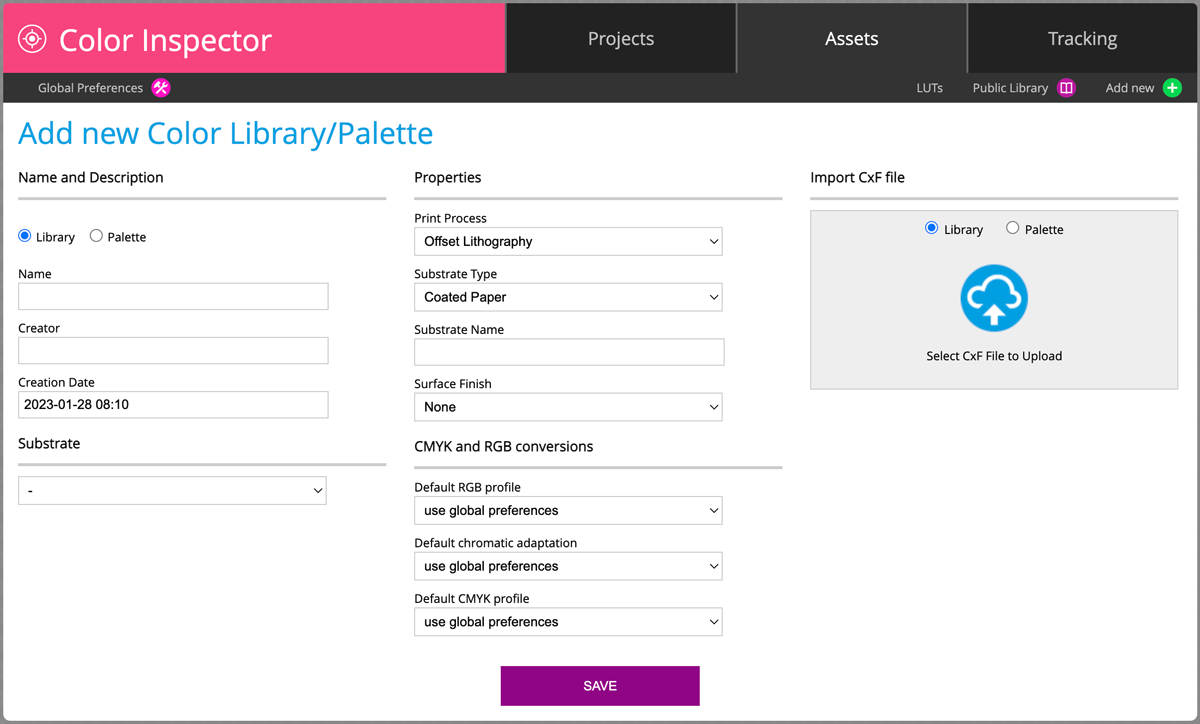
Learn the difference between Library and Pallete here.
The substrate is optional - but most of ColorLibraries today are substrate dependent.
Such a Library is empty. Using the website interface there are a couple of possibilities:
- Import CxF file which contains Color Library - it might be exported from 3rd-party software
Drag and drop the CxF file on the Upload icon. - Copy existing Samples from other Libraries/Palettes already in CC Assets
Open Library or Palette - select samples, click on the "Copy to Palette" button on the bottom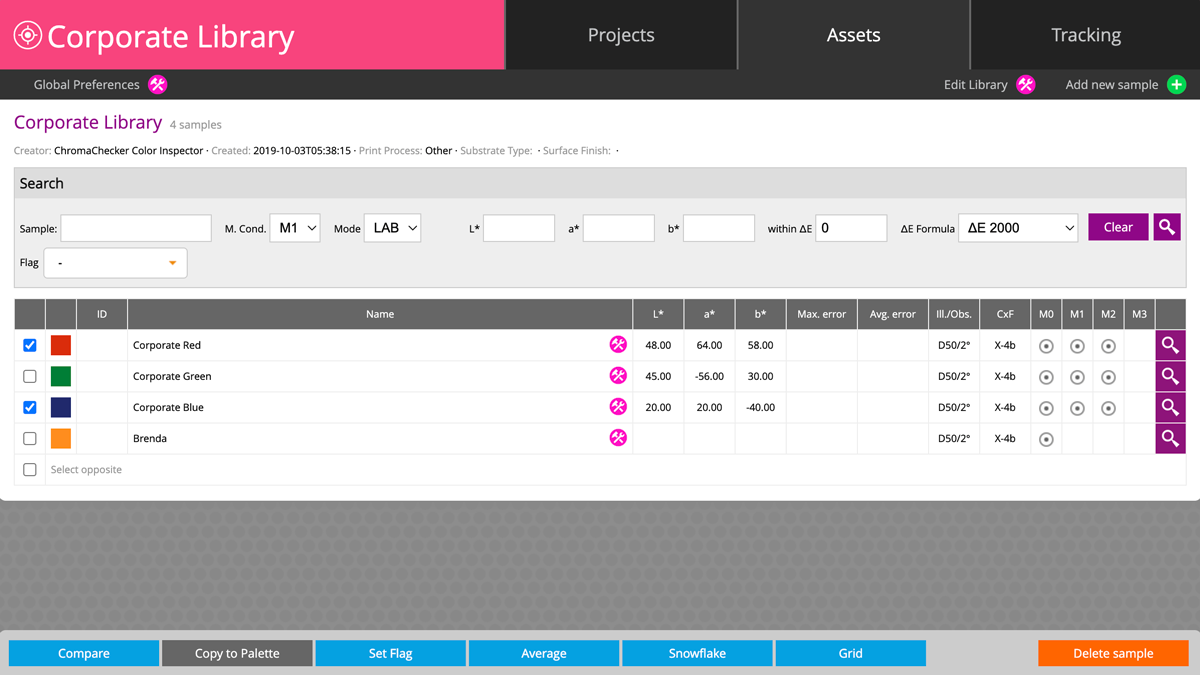
- Use CC Capture to Create Color References with one of three methods:
a. CC Capture Color Inspector - recommended if CxF/X-4 enhanced spot definition with
(halftones printed required)
b. QuickChecker Scracthbook measurements
— fast but might be less accurate - as single measurements may not reflect the sample properly
c. QuickChecker Start Variation tool - the best way to create an average from measurements
— instant variation analysis ( sample uniformity/homogeneity). - Make manual input (Lab values only). We do not recommend this method.
Add New Sample button opens dialog box: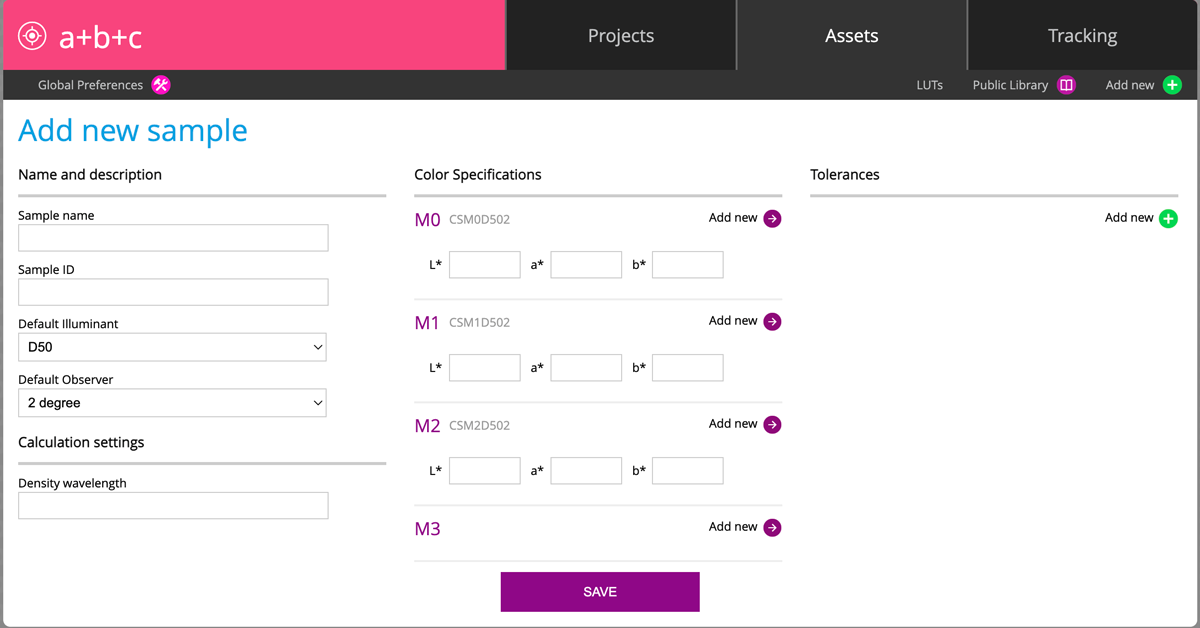
To understand why Lab input is not as good as spectral multi-measurement data learn more:
Contact ChromaChecker Support
Additional information and Support Form is available for logged users.
