Importing Color Cert database into Projects
Step 1: Export database from Color Cert (SQLite).
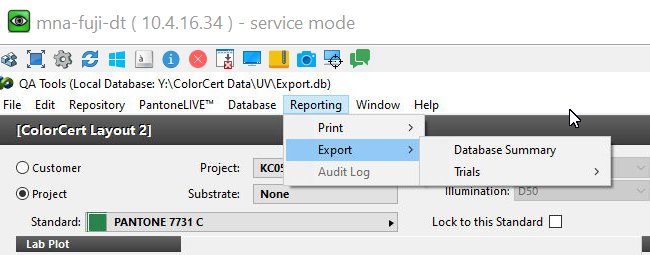
Select the Export option from the Color Cert top menu
next...
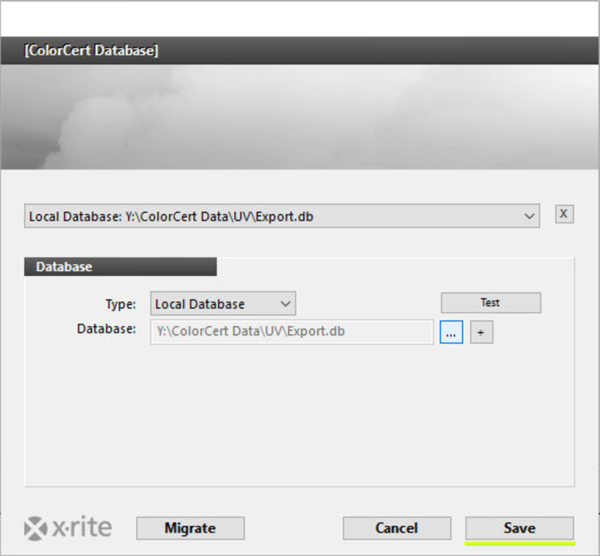
When exporting the database select: SQLlite Database

Step 2: Using the free Table Plus tool, you will convert the exported ColorCert database into JSON files
Please install Table Plus. Both Mac and PC versions are available.
Open exported ColorCert database with TablePlus. On the Welcome to Table Plus Click "Create a new connection"
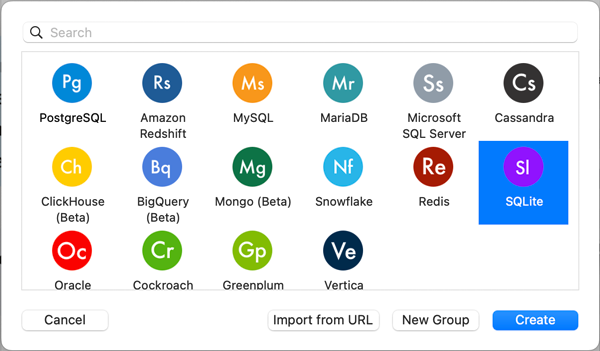
Select SQLite:
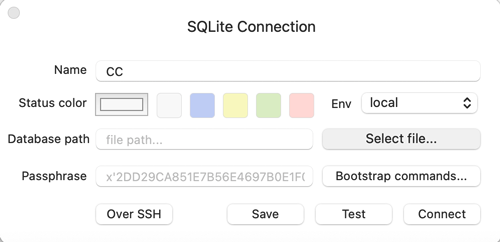
Enter a name for a new connection (any), select Export.db file location on your hard drive, and click the "Connect" button
It will list all tables in the left column. The four key tables
- Project,
- Standard,
- StandardProject
- StandardSpectral
are important for integration with ChromaChecker (marked with blue): 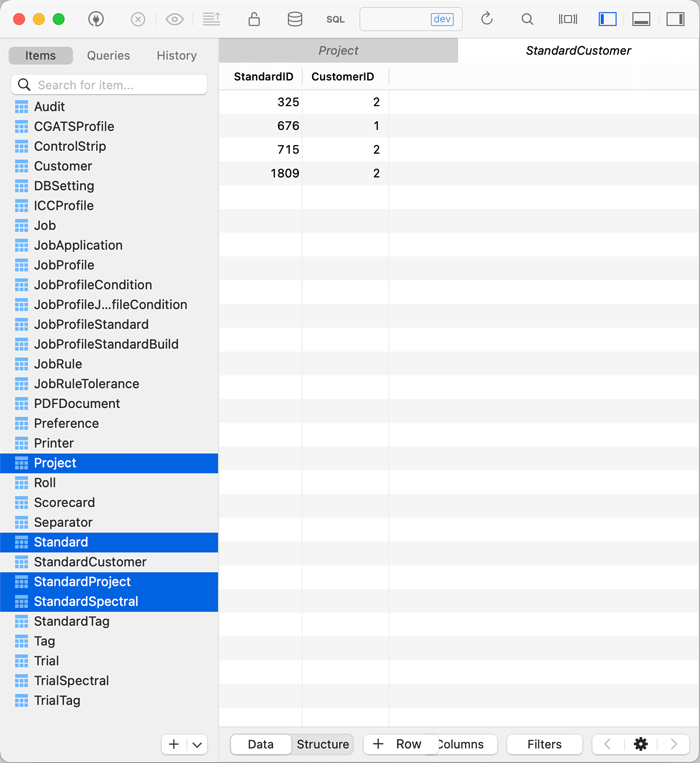
- Select Table called "Projects", with right-click and select Export:

- Select JSON as file format, save with default name (Projects.json)

- Repeat the same procedure with the following tables:
— StandardProjects
— Standard
— StandardSpectral
You should now have four files:
Projects.JSON, StandardProjects.JSON, Standard.JSON, StandardSpectral.JSON
Step 3:
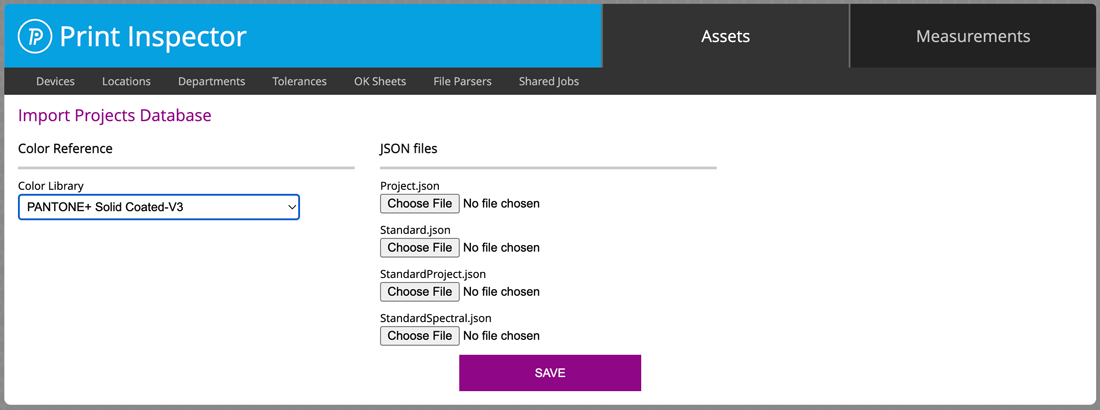
Upload all created JSON files to the ChromaChecker
(Print Inspector/ Projects)
In Projects select files and define Color Library for Standards that are not created manually ( e.g. Pantone Library)
Important notes
ColorCert uses two resources for their references. One is the Pantone Library (coated, uncoated, or any other based on PantoneLive) and the second is called "custom" which uses spectral references (stored in SpectralStandards) created by the user.
This procedure is transferring ColorCert users' custom-made Standards. If you need to use Pantone Library you need to have the licensed CxF Library and upload it to ChromaChecker separately. ChromaChecker doesn't provide the Pantone Libraries but supports them if the user already has them. If the user has bought a Pantone Guidebook in the past ten years then you have access to a digital version of the Pantone Libraries using the Pantone Color Manager. From the Pantone Color Manager, you can export the Pantone library as a CxF file which can be uploaded into your ChromaChecker Color Library.
Current Import limitation
This first version of the ColorCert migration is limited to importing Projects and a list of Standards that are related to them. No scoring is supported today (no requests from current users). Also, we are not importing Jobs and Trials today - this historical data is not fully compatible with ChromaChecker today.
We can extend importing capabilities based on user requests, so please let us know if it would be useful to import more data from ColorCert.
Contact ChromaChecker Support
Additional information and Support Form is available for logged users.
