Snowflake - Spot Color Tolerance
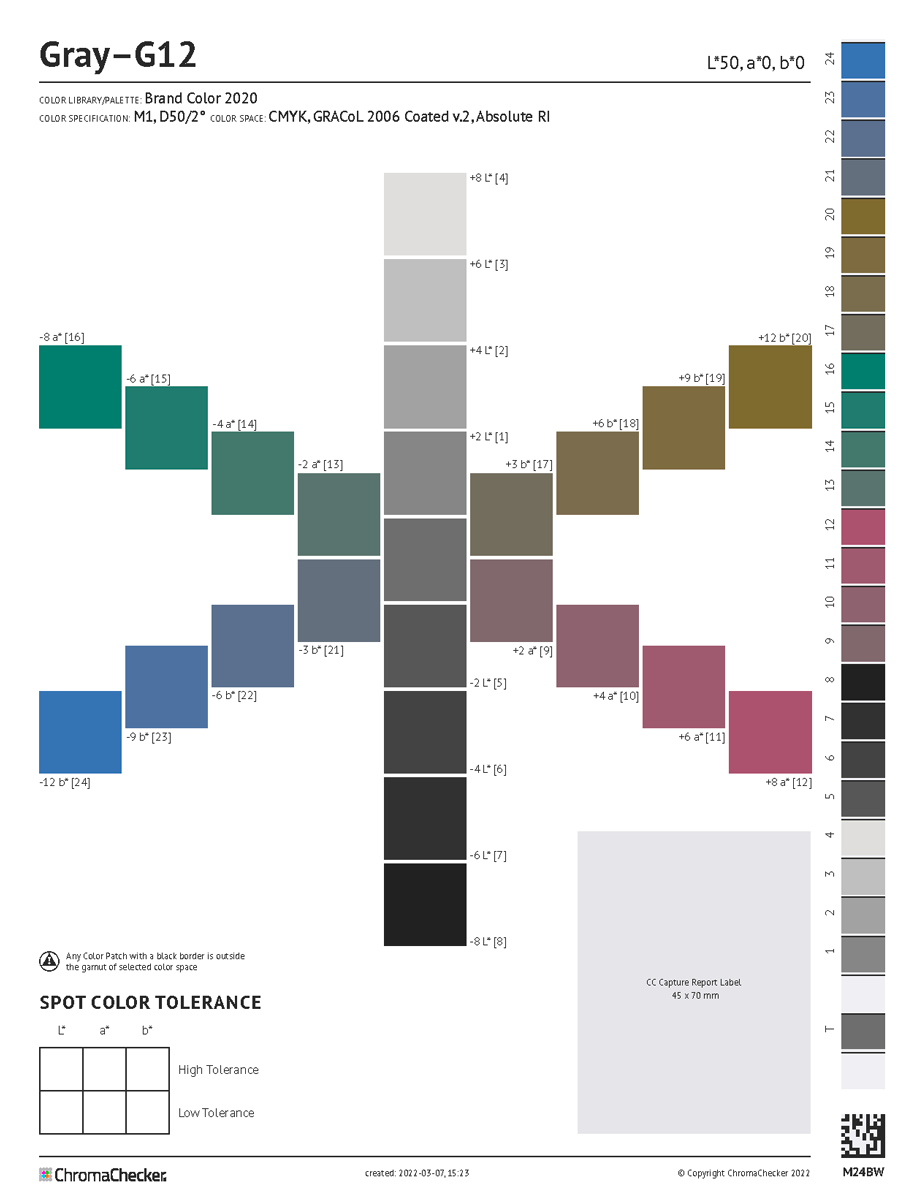
This tool creates a PDF in one fixed size designed to be printed on
- Letter/ ANSI A (8.5”. x 11”), (215.9 mm x 279.4 mm)
- A4 (8.3 x 11.7”), (210mm x 297mm)
The user may select the desired color space that is used to address color coordinates of color patches per the printer condition:
- Lab
- RGB (requires RGB ICC Profile - device profile is recommended)
- CMYK (requires CMYK ICC Profile - device profile is recommended)
- nCLR (requires device nCLR ICC Profile) - soon
Visual judgment— addressed color coordinates vs. printed color values
CC Snowflake has an optional, integrated control strip and corresponds to a CC Capture Scanning Template.
This capability documents real Lab coordinates printed on the Snowflake. A report label can be printed and stuck on the printed sheet. At this time, visual expectations can be interpreted using real numeric values beyond just delta E.
Snowflake troubleshooting
If the measurement shows that the values are different from expected values, check that the printing system is properly aligned with the configuration through:
- Check the quality of the ICC profile- Ensure the print control strip is aligning with ICC Profile
- Checking iteration of LUTs- Ensure the LUT values are being applied properly in the workflow
Checking PDF
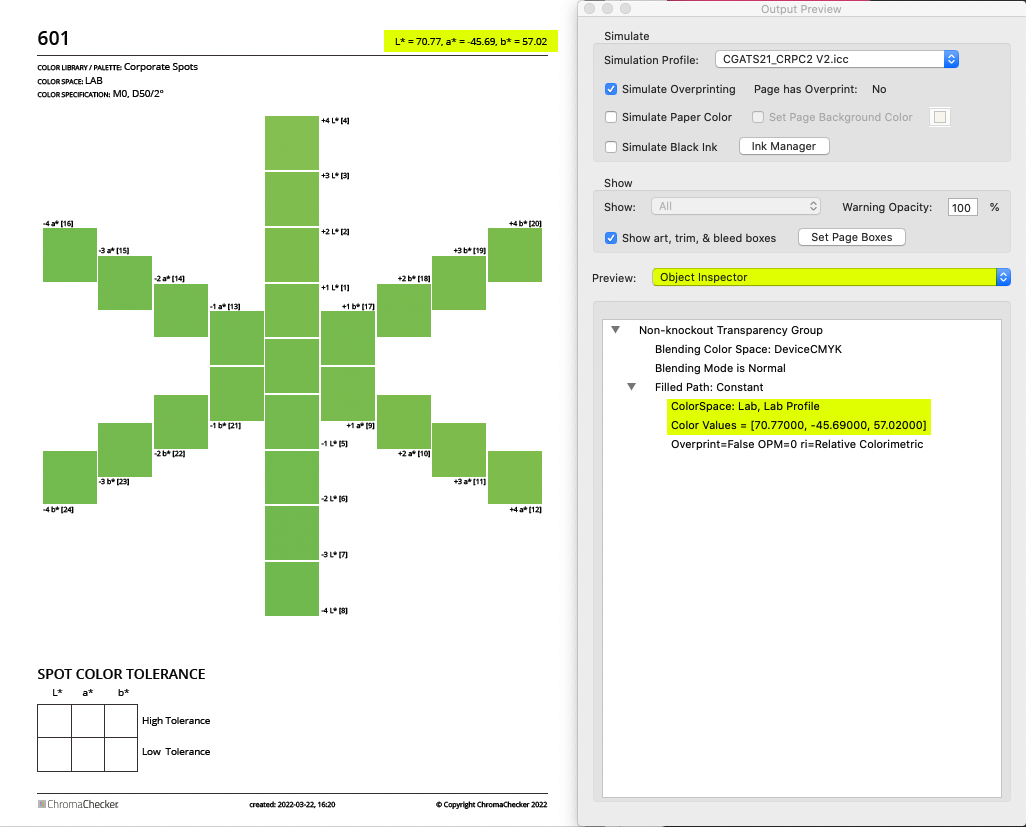
Whenever you need to examine the color space and color values of any patch in a PDF file, Adobe Acrobat PRO DC is strongly recommended. In Production Tools select Output Preview, change the Preview to Object Inspector, and point to any element on the page - in the window below complete information is delivered.
Limitations
Charts can be generated in PDF file format only.
SpotVar is working in various color spaces (CMYK, nCLR, RGB, Lab, Named), therefore JPG, TIFF, and PNG formats are not supported anymore. The user may easily convert these PDFs using Photoshop to any other file format, but it requires a high level of understanding of color management (especially rendering intents).
Related Topics
Contact ChromaChecker Support
Additional information and Support Form is available for logged users.
