January 16, 2025
DataLogger with Capture and No Instrument
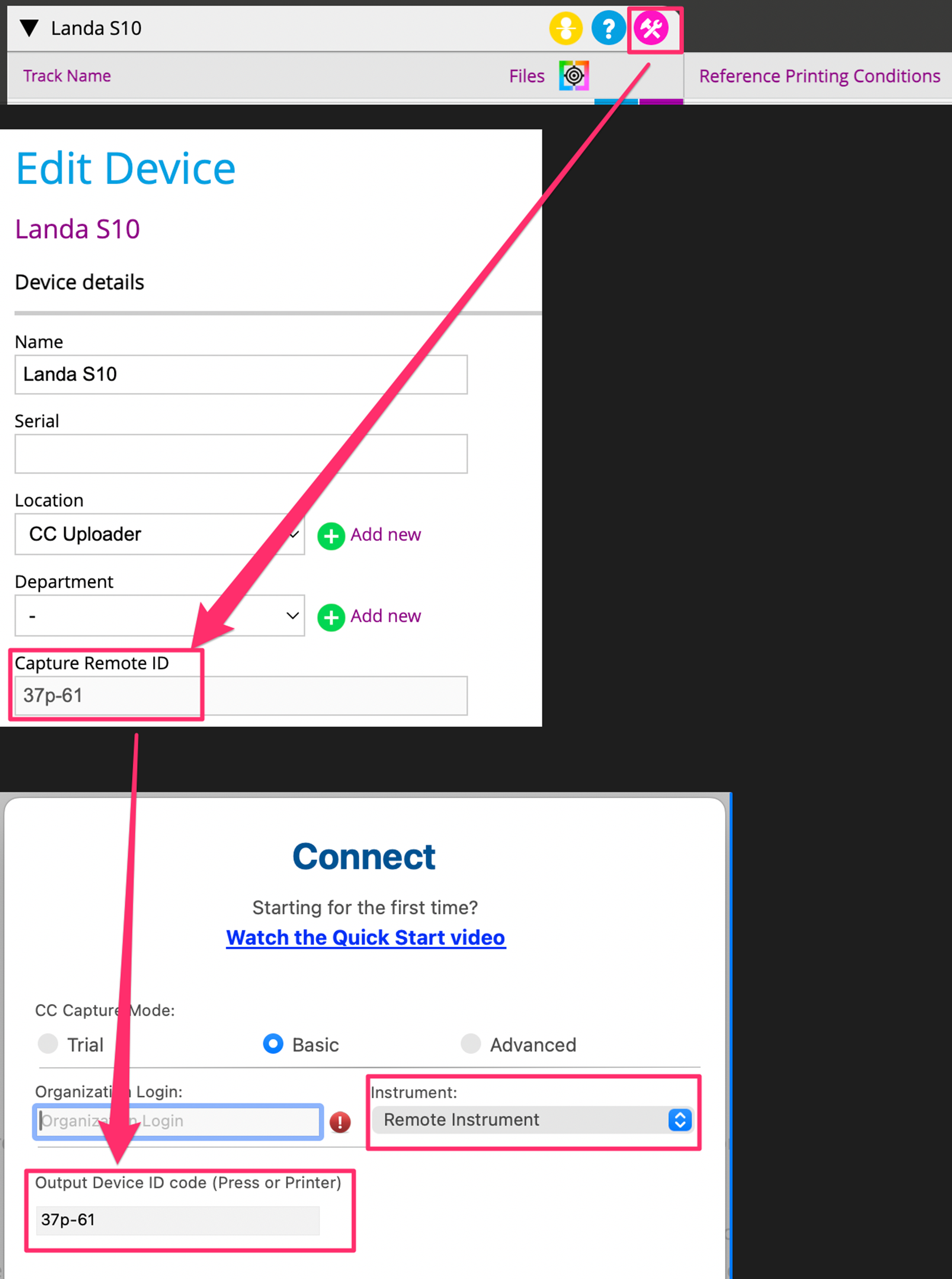
You can use the RHT Datalogger without connecting an instrument. When prompted to select an instrument in CC Capture, choose “remote-instrument” instead
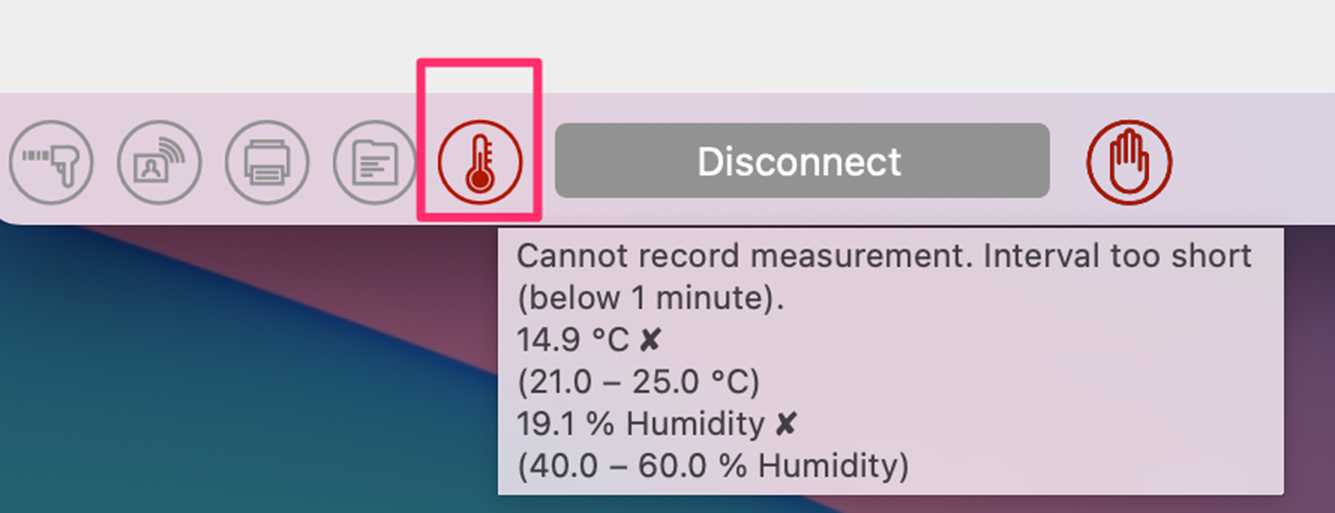
Once logged in, the Environment Inspector icon will appear red or green, depending on your tolerances. Hovering over the icon will display the information reported by the DataLogger.
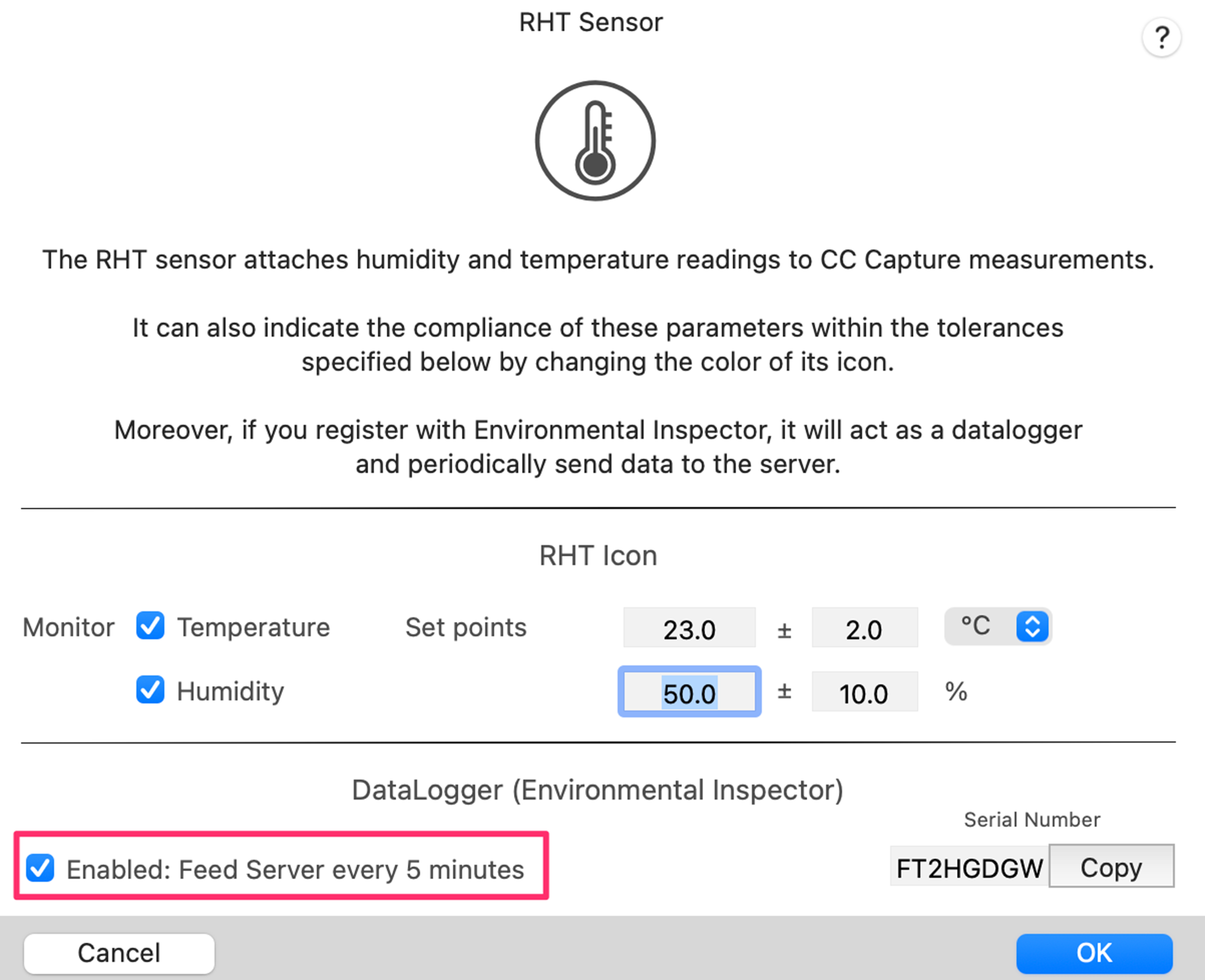
Please double-check that the RHT settings (accessible by clicking the Environmental Inspector icon) have selected the “Enabled: feed Server every 5 mins” option.
Contact ChromaChecker Support
Additional information and Support Form is available for logged users.
